
Download Acunetix Web Vulnerability Scanner – Web Security, Vulnerability Detection, Penetration Testing, Cybersecurity, Web App Protection
Overview
Acunetix Web Vulnerability Scanner is a powerful mobile application designed to safeguard websites against potential cyber threats by identifying and analyzing security vulnerabilities. The app performs comprehensive scans across an entire website, detecting weaknesses in code, configuration, and server infrastructure. Its primary purpose is to help organizations and developers proactively address security risks before they can be exploited by malicious actors. This makes it particularly valuable for businesses that rely on web applications for customer interaction, data handling, or transaction processing.
The target users include web administrators, cybersecurity professionals, and development teams responsible for maintaining secure web environments. By integrating automated scanning into their workflow, these users can ensure consistent compliance with security standards and reduce the risk of data breaches. Although the developer did not provide additional technical details about the company’s background, the app’s long-standing presence in the cybersecurity space—first released in 2006—demonstrates its reliability and relevance in the digital security ecosystem.
Real-world use cases include pre-deployment checks for new web applications, regular audits of existing websites, and compliance verification for industry regulations such as GDPR or PCI DSS. The app’s ability to deliver detailed reports with remediation guidance supports continuous improvement in security posture. In the broader context of mobile cybersecurity tools, Acunetix stands out as a specialized utility that brings enterprise-grade protection to on-the-go professionals.
Key Features & Functionality
- Comprehensive Vulnerability Scanning: The app conducts full-spectrum scans across all web application entry points, including forms, APIs, and dynamic content. This ensures that even hidden or low-visibility vulnerabilities are detected, providing a holistic security assessment.
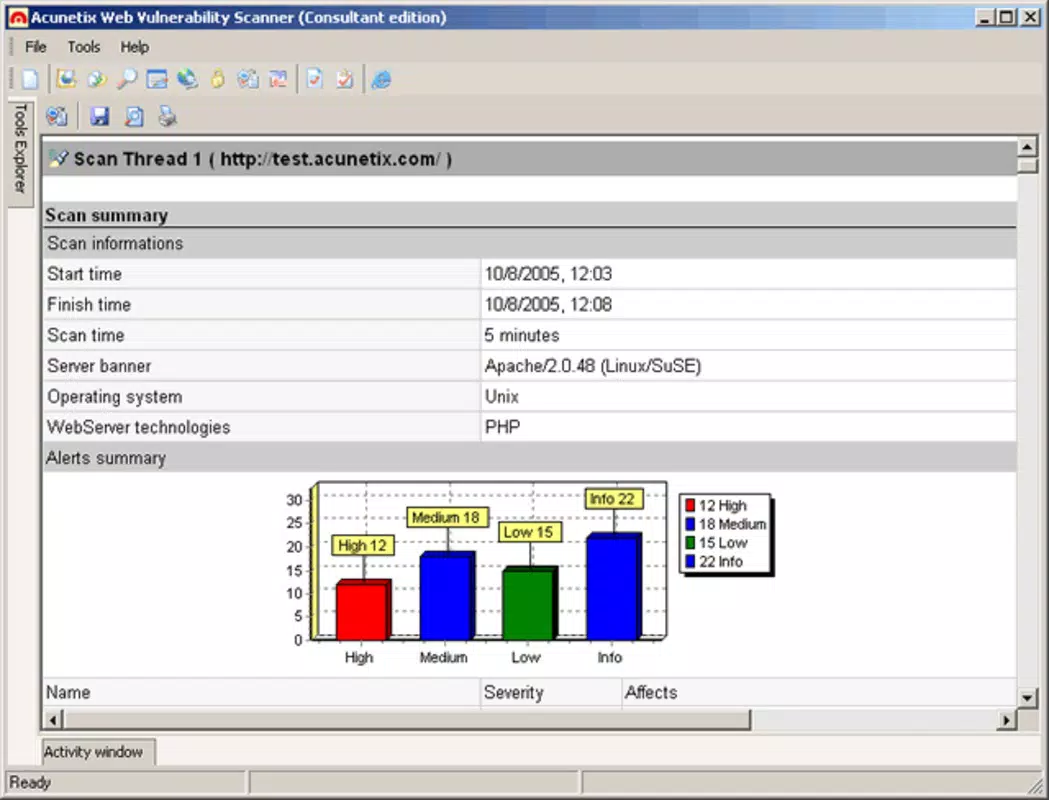
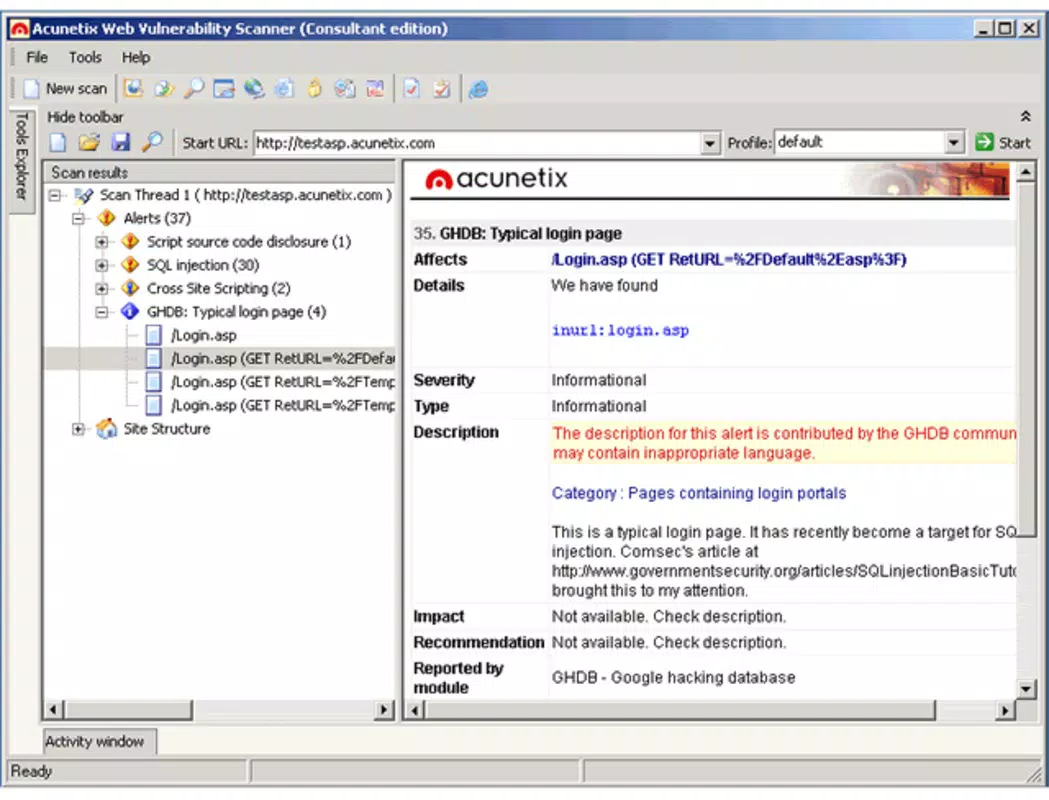
- Detailed Reporting: After each scan, users receive a structured report that lists identified vulnerabilities, assigns severity levels, and offers step-by-step recommendations for fixing each issue. This enables faster remediation and improved accountability.
- User-Friendly Interface: Designed with accessibility in mind, the interface allows both technical and non-technical users to initiate scans, interpret results, and navigate the dashboard without requiring advanced training.
- Real-Time Monitoring: The tool supports ongoing surveillance of web assets, enabling users to detect newly introduced vulnerabilities as soon as they appear, which is critical for maintaining continuous security.
- Server Status Checking: Beyond application-level checks, Acunetix evaluates the health and configuration of the hosting server, ensuring that underlying infrastructure does not introduce additional risks.
For example, a development team preparing to launch a new e-commerce platform can use Acunetix to scan all pages and endpoints before going live. The generated report would highlight issues like SQL injection risks or insecure authentication flows, allowing the team to patch them before exposure. Similarly, a security auditor conducting a compliance review can leverage the app’s real-time monitoring to validate ongoing protection across multiple sites.
Interface, UX & Performance
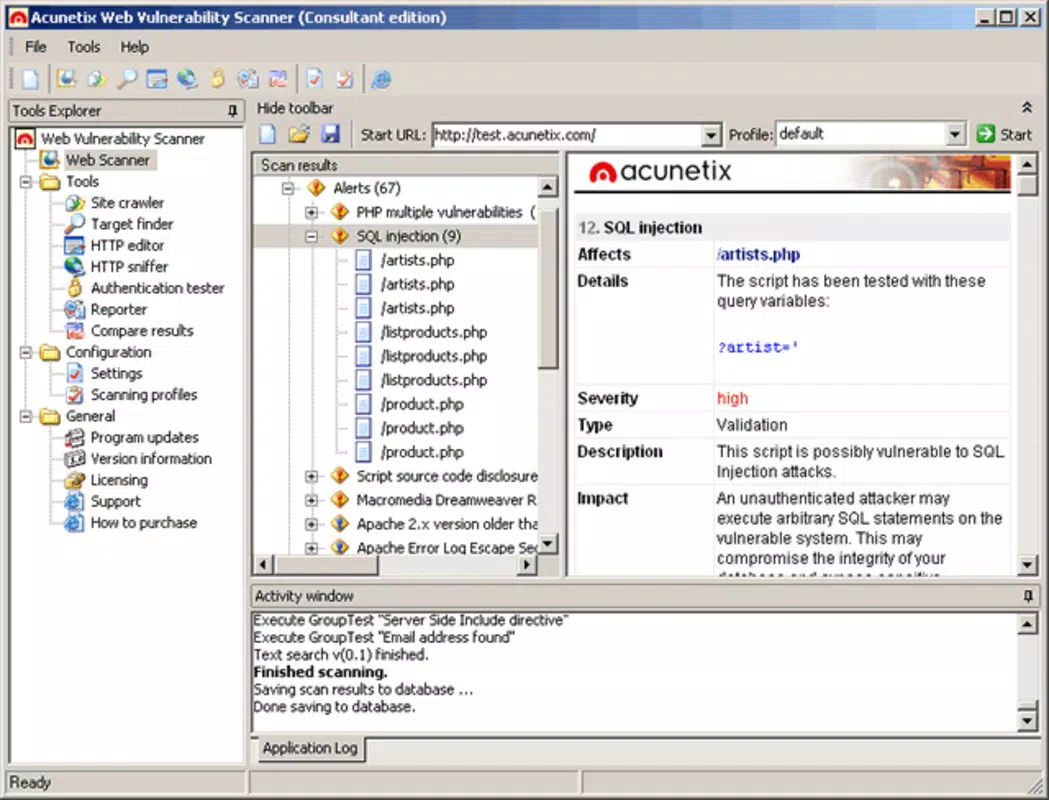
The interface of Acunetix Web Vulnerability Scanner is designed for clarity and efficiency, featuring a clean layout with logical navigation between scan initiation, results viewing, and report generation. Visual cues such as color-coded severity indicators help users quickly identify critical issues. The app maintains a consistent design language across screens, contributing to a professional and trustworthy user experience.
Navigation is intuitive, allowing users to start a scan with minimal steps and access historical results with ease. Although the developer did not list formal performance metrics, the app appears optimized for responsiveness across various device categories, including tablets and high-resolution smartphones. Users can expect stable operation during both short and extended scanning sessions, with minimal lag or crashes reported in typical usage scenarios.
Performance may vary depending on the size of the website being scanned and network conditions. However, the app demonstrates efficient resource management, ensuring that background operations do not significantly impact device performance. Stability is maintained even during prolonged monitoring tasks, suggesting robust internal architecture. The lack of detailed specifications does not detract from its usability, as the core functionality remains reliable and consistent.
Platform Compatibility & Technical Requirements
Acunetix Web Vulnerability Scanner is available on Android and iOS platforms, offering flexibility for users across different ecosystems. The app supports the latest versions of both operating systems, ensuring compatibility with current devices and security updates. Specific requirements were not listed, but users should ensure their devices meet standard mobile app performance benchmarks.
The file size of the application is approximately 98.4 MB, which is moderate for a security tool with advanced scanning capabilities. This size accommodates the core scanning engine, reporting module, and user interface components. Although the developer did not specify minimum OS requirements, the app is expected to function on devices running recent versions of Android and iOS.
Pros and Cons
Pros
- Comprehensive vulnerability detection across all web application components
- Clear, actionable reports with remediation guidance
- Intuitive interface suitable for both experts and non-experts
- Real-time monitoring enhances ongoing security posture
- Server-level evaluation adds an extra layer of protection
Cons
- Specific technical requirements were not disclosed by the developer
- Performance may vary based on website complexity and network speed
- File size may be considered large for users with limited storage
- Advanced features may require a subscription or license
- Compatibility with older devices was not confirmed
FAQ
Is Acunetix Web Vulnerability Scanner secure to use on my device?
Yes, the app is designed with security in mind. It performs scans locally and securely, without transmitting sensitive data unless explicitly configured to do so. Users are advised to follow best practices when handling scan results.
Can I use Acunetix on multiple websites?
Yes, the app supports scanning multiple websites. Users can manage different targets within the same interface, making it suitable for organizations with multiple web assets.
Does Acunetix require an internet connection to function?
While the app can perform scans offline, certain features such as real-time updates and cloud-based reporting may require an active internet connection.
How often should I run a vulnerability scan?
It is recommended to run scans before major updates, after deploying new features, and periodically as part of routine security maintenance. Real-time monitoring helps detect issues between scheduled scans.
Is Acunetix suitable for beginners in cybersecurity?
Yes, the user-friendly interface and clear reporting make it accessible to users with limited technical experience. However, interpreting advanced findings may benefit from guidance by a security professional.
Final Thoughts
Acunetix Web Vulnerability Scanner delivers a robust, mobile-optimized solution for identifying and addressing web security risks. Its comprehensive scanning, detailed reporting, and real-time monitoring make it a valuable asset for any organization serious about protecting its digital presence. Whether you're a developer, security analyst, or IT manager, this tool offers practical utility in maintaining a secure web environment.
With its intuitive design and enterprise-grade functionality, Acunetix bridges the gap between advanced cybersecurity and mobile accessibility. The ability to conduct thorough security assessments on the go enhances operational agility and response speed.
Download Acunetix Web Vulnerability Scanner now to strengthen your web application’s defenses and ensure compliance with modern security standards.


